
Code & Git
Merge requests
Review GitLab and GitHub merge requests in a real diff view, with blame, symbols and drafts posted only when you submit.
Connect
Settings › Git › Forge tokens, or Connect GitLab or GitHub… on the Start tab. Cloud or self-hosted, over HTTPS. Tokens are stored in the Keychain.
Find what to review
Git (⌘4) › Merge requests: All open, Needs my review, Created by me. Search by title, !number, author, branch or label (press /). The list refreshes every minute while visible.
Review
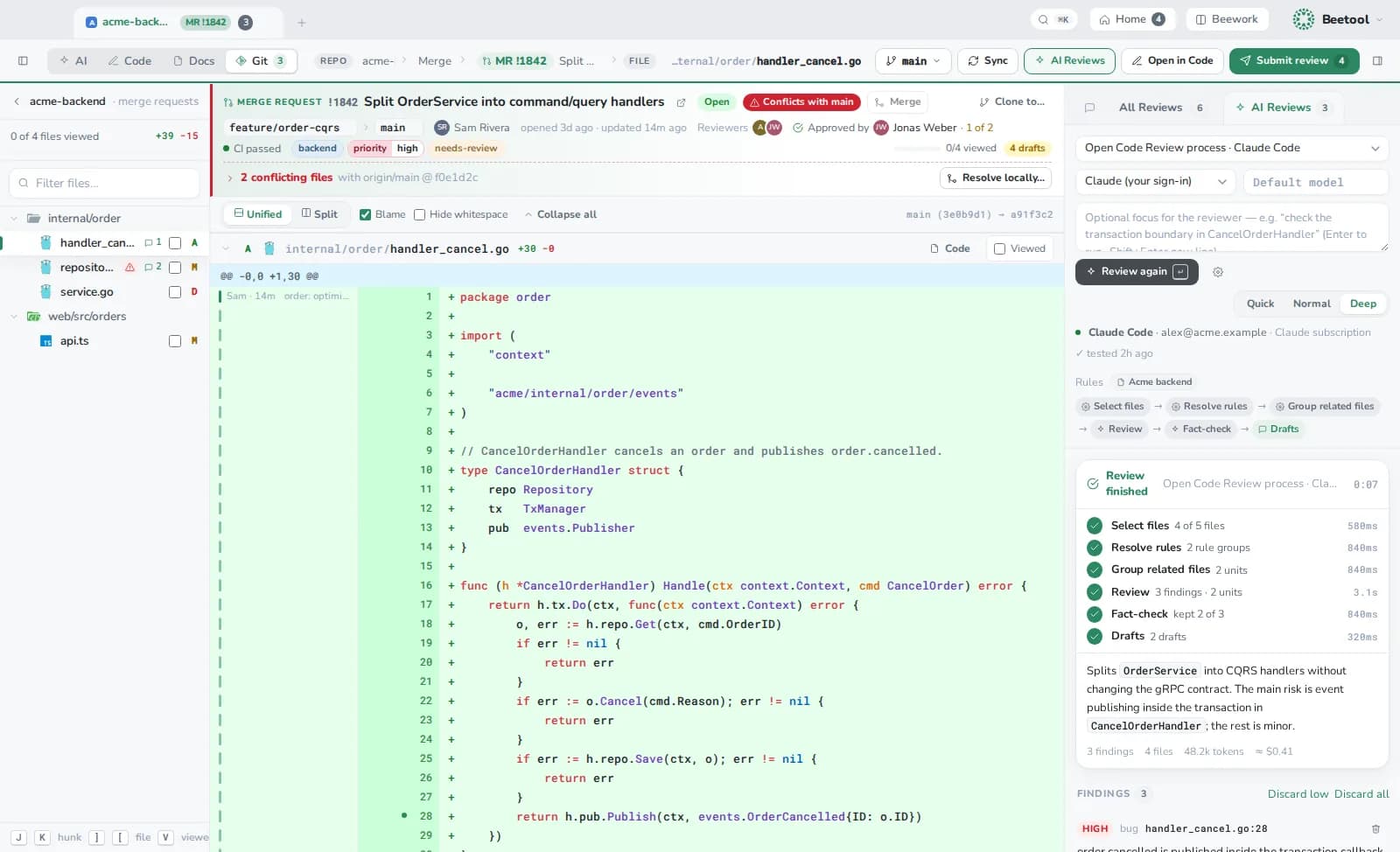
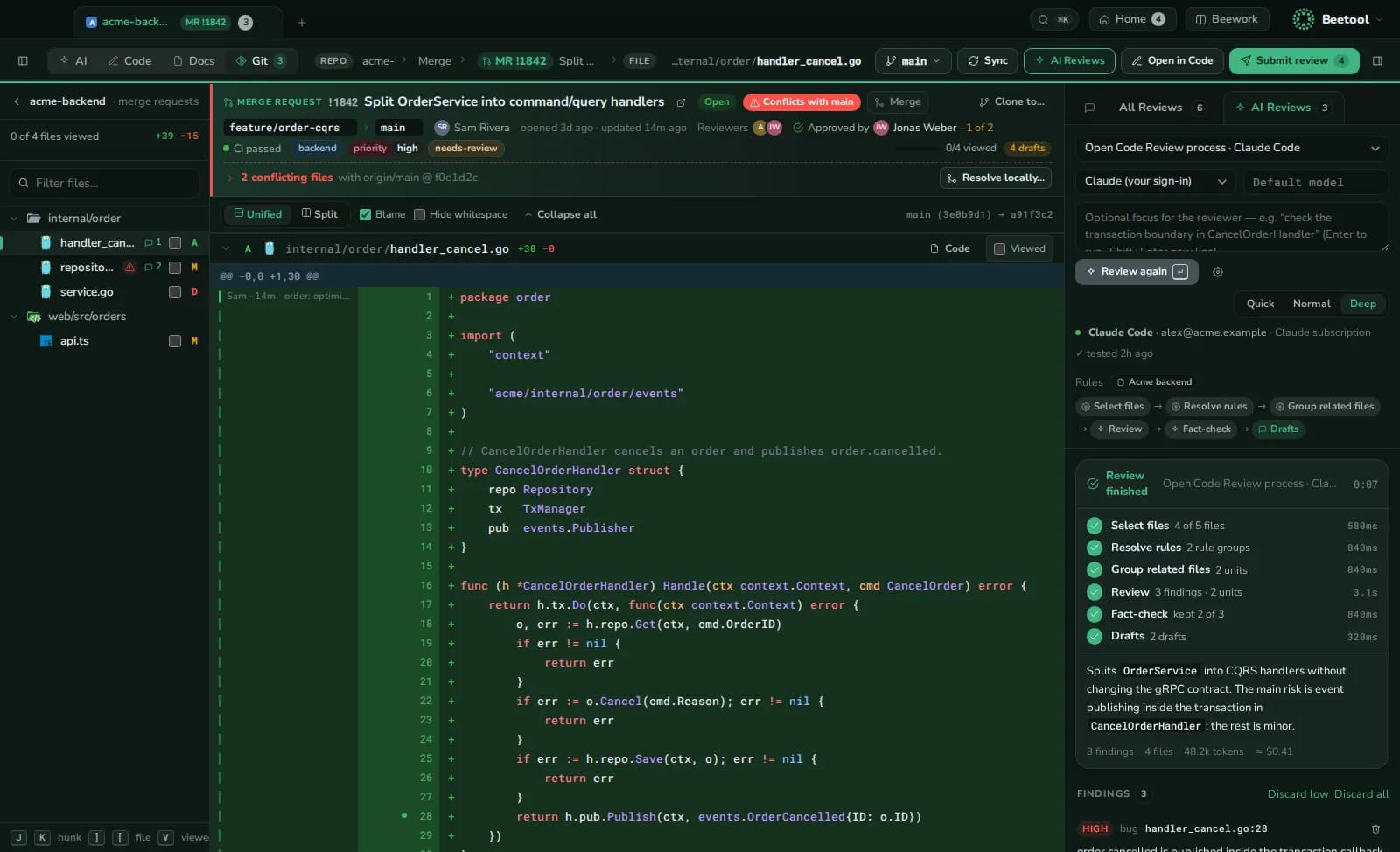
- Files of the change on the left; unified or side-by-side diff with word-level changes, blame and "ignore whitespace".
- Keys: j / k hunks, ] / [ files, v viewed, c comment, ⌘↵ submit.
- Comments are drafts, kept locally until you submit them as Comment, Approve or Request changes with a summary.
- Symbol peek: ⌘-click an identifier in the diff for its definition, implementations, callers and usages at the reviewed commit.
- The header shows state, branches, people, CI, approvals and files that would conflict with the target.
Create, merge, fix
- New MR fills branches, commits, title and description from git, and pushes the branch if needed.
- Merge shows approvals and whether you may merge; it refuses if the head moved since you looked.
- Resolve locally updates the source branch, resolves on a new branch, or builds the merge result to test. Nothing is force-pushed; nothing is pushed until you click.
- Open in Code takes a comment to the editor, ready for Fix with AI.
Add an AI review to any merge request, commit or local change.