
AI
Agent teams
Talk to a Lead that plans, works alone or delegates to agents — each in a private worktree, each diff reviewed.
How a team run works
- You talk to the Lead in a Beework task's AI page.
- The Lead answers, does small changes itself, or delegates to the team.
- Each worker gets a private worktree per repository (branch
bee/<task>/<agent>) and may only write the files it owns. - The Lead reviews each worker's diff — approve, redo or take over — and integrates the result.
- You Apply (changes land in each repository as staged, uncommitted changes) or Discard. Nothing is pushed.
Several conversations of one task run in parallel, each on its own worktrees.
Designing a team
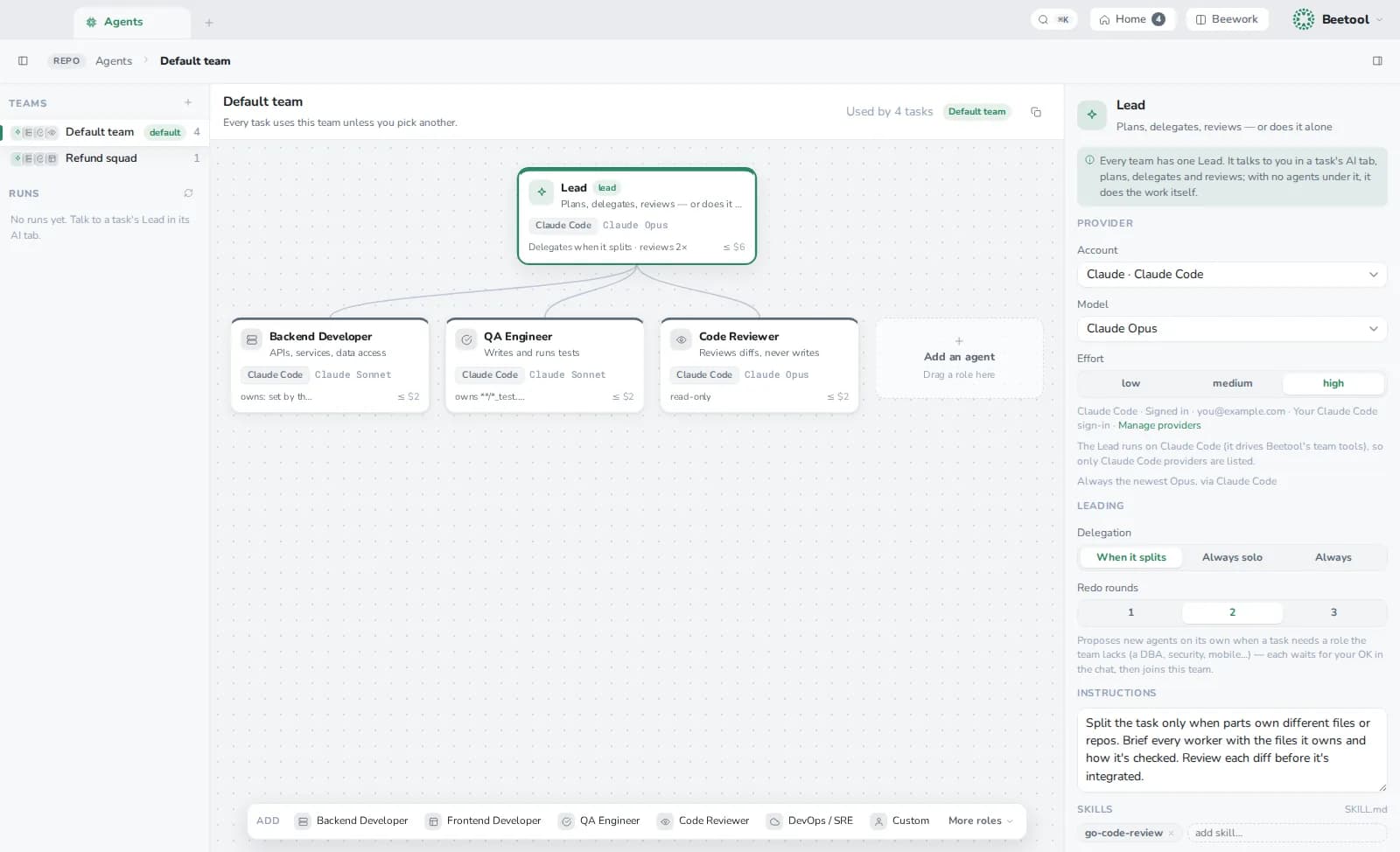
Open Agents (⌘K). The default team has a Lead, a Backend Developer, a QA Engineer and a Code Reviewer. Create, duplicate or set another team as the default; a task can pick its own.
Per agent:
| Setting | Meaning |
|---|---|
| Role, kind | lead, implementation, tests, review, docs, explore, migrate or custom |
| Provider, model, effort | Any provider; the Lead needs Claude Code |
| Instructions, skills | What it should know and how it works |
| Repos, owned files | Where it works and which globs it may write |
| Tools | read only, ask before commands, or auto (tests run without asking) |
| Budget, max turns | Limits per run |
The Lead also has delegation (auto, solo or always) and redo rounds.
Lessons
When the Lead asks a worker to redo something, it can attach a reusable rule. The rule joins that worker's playbook, and its first-time approval rate is tracked.
Tools the Lead has
Through Beetool's per-run MCP scope: list and create agents (creation needs your approval), delegate, wait, review, integrate, the repo map, code search, and the Beequest tools.